Budgets and actuals
See the project budget and actual figures when starting an activity. Keep the financial context close to the work your team records.

Firm management features for architects & engineers
Plan projects, record time and expenses, invoice clients and understand performance in one platform. Tracktive keeps the details connected so your team can see both the work and the numbers behind it.
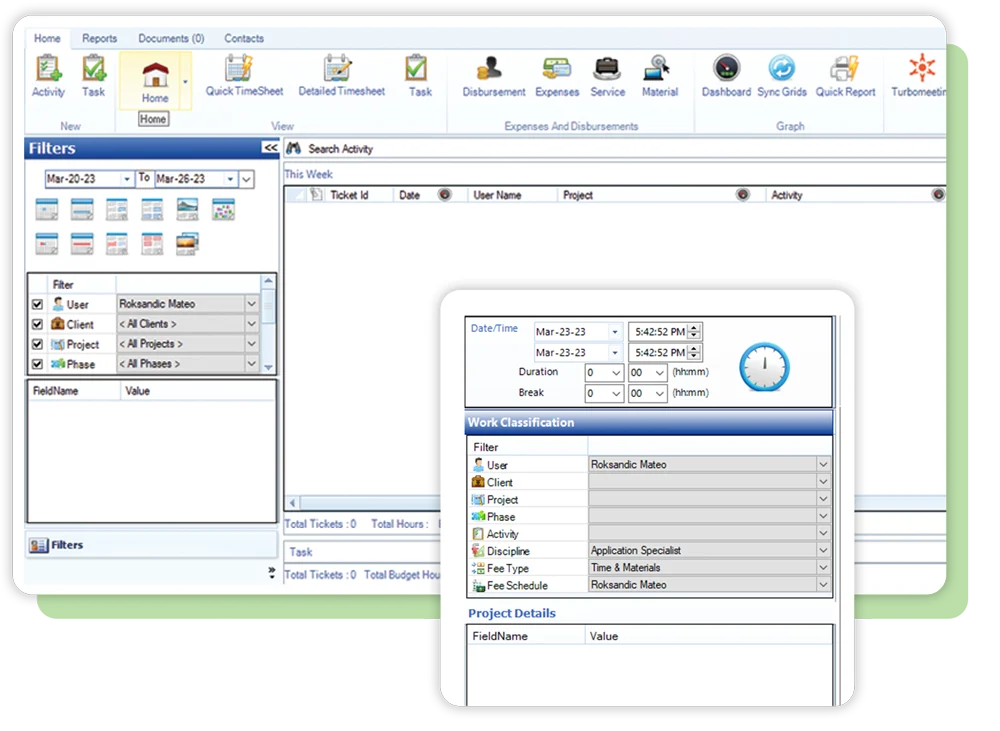
Actual Tracktive application
Project management
Keep project budgets, tasks, client details and activity together. Project managers can check what has been recorded and how actual work compares with the budget without piecing together separate records.
See the project budget and actual figures when starting an activity. Keep the financial context close to the work your team records.
Create and assign tasks to team members. Use recurring tasks for work that comes around again.
Keep client details and custom attributes together, including different billing rates, reporting needs and submission guidelines.
See new activities as your team records them. Open the details when you need the notes, time or outlays behind an update.
Time tracking
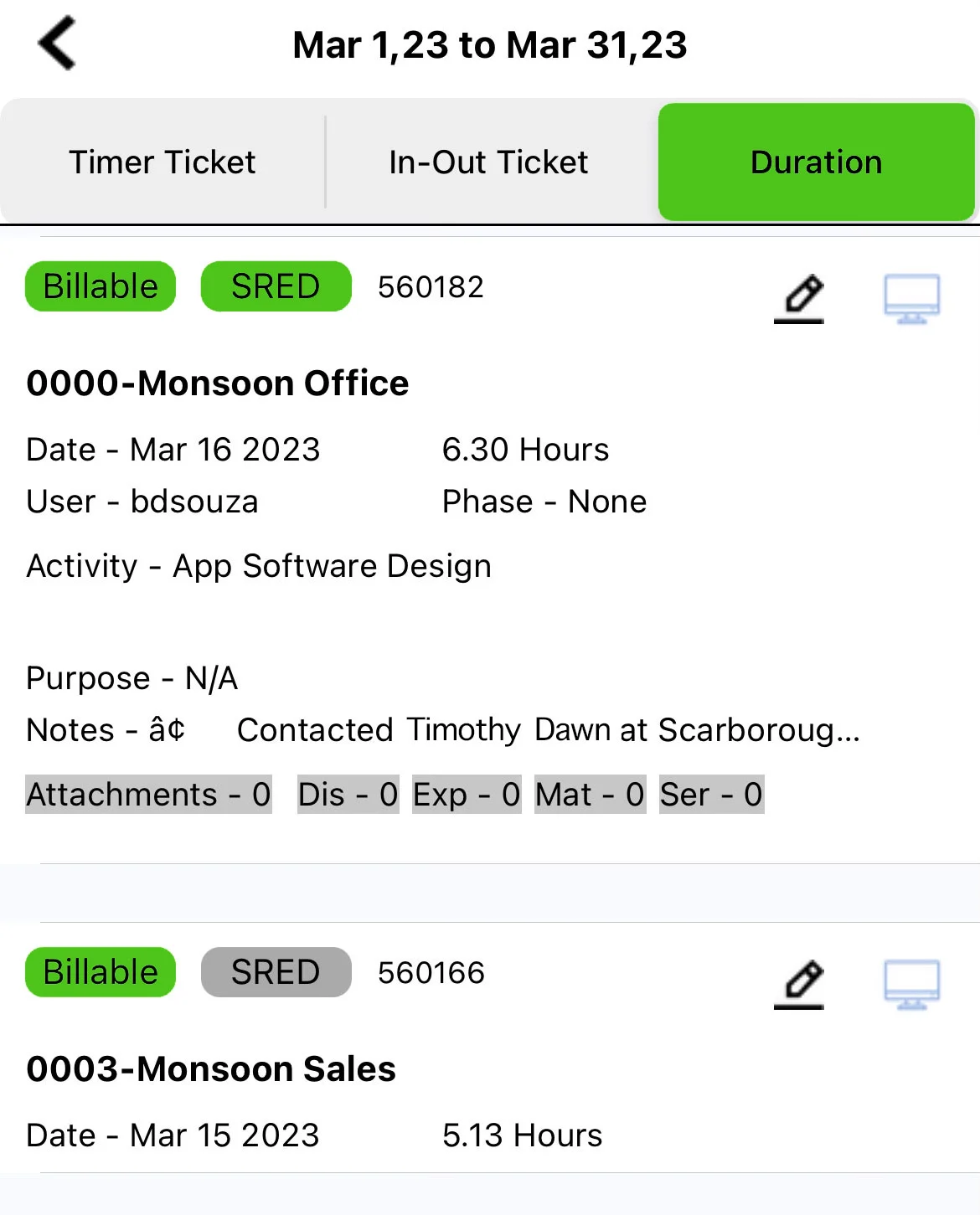
A time entry can hold more than hours. Record the client, project, activity and notes so your firm can understand what was done and where the time belongs.
Expenses and disbursements
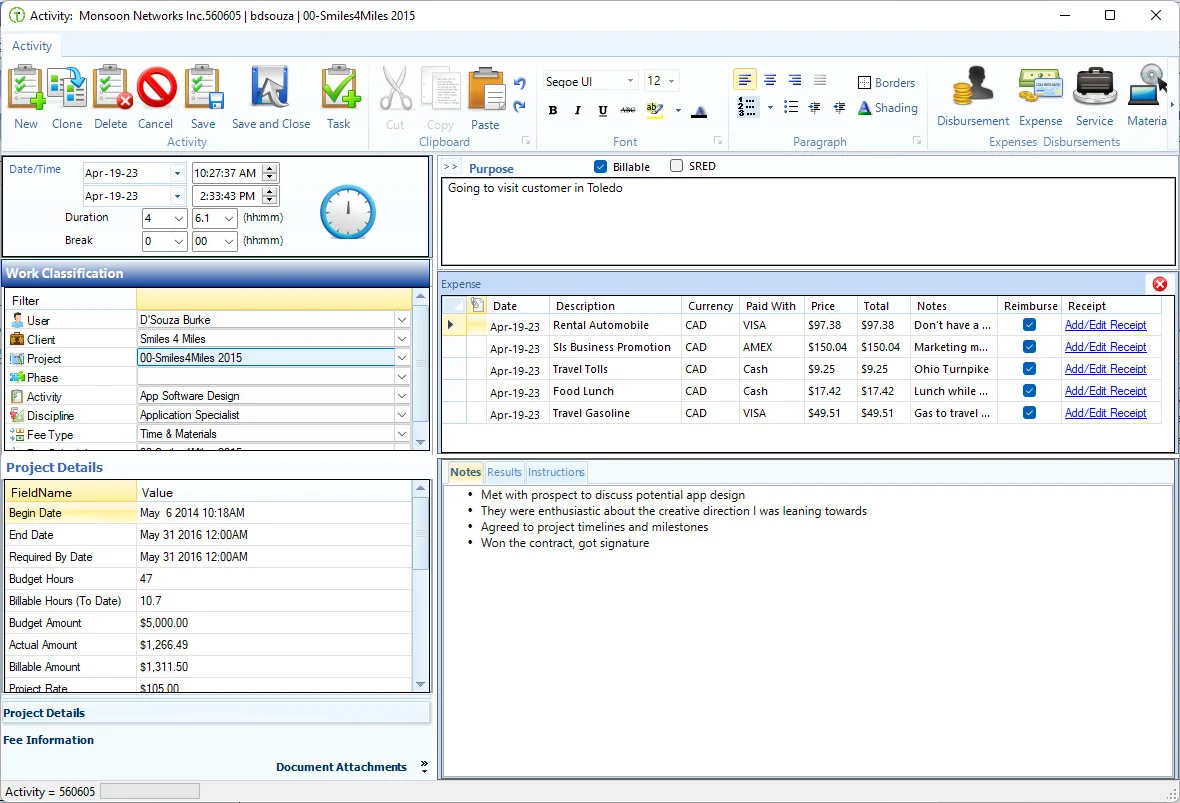
Create expense entries automatically from photos with AI-powered receipt capture in the mobile app. Keep costs connected to their client or project, with the documentation accounting needs.
Billing and invoicing
Tracktive has a full invoicing engine, with multiple billing methods and multi-currency handling. Support different fee arrangements within the same firm-management platform.
Support billing for time and materials under the fee arrangement agreed for the project.
Use fixed-fee billing for work priced at an agreed amount.
Support fees based on a percentage of construction cost, a billing method used by architecture and engineering firms.
Handle multiple currencies in Tracktive when your firm's work calls for it.
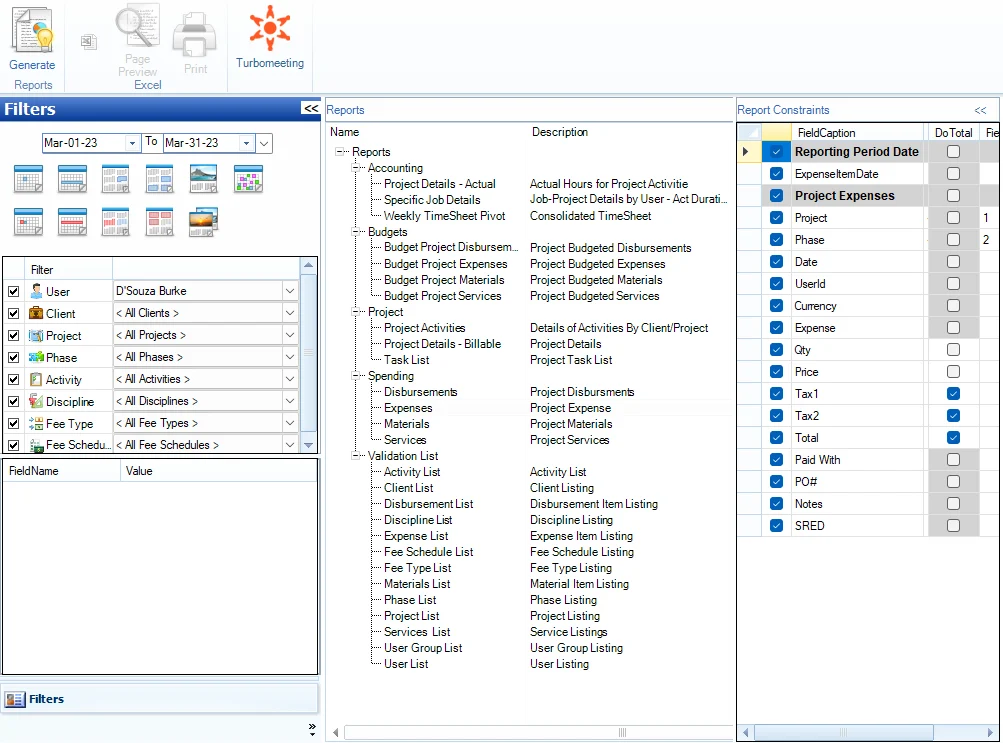
See project and team activity in context. Tracktive’s reporting engine lets your firm look closely at the work and the numbers behind it.
See what's includedreports to explore your firm’s performance.
People and project knowledge
Keep the people side of firm management in view, while preserving the recorded knowledge behind your projects.
The difference
Keep project notes, documents, time and expenses together. Search past work when your team needs the context behind a decision.
Explore Company BrainConnected project record
Manage vacation calendars, sick days, bereavement leave and overtime through Tracktive's HR module, including banked hours where your firm uses them. It works alongside the firm's other management tools.
Use collaboration tools, contact management and role-based permissions. Capture notes with speech-to-text and keep supporting files with the work.
Track time and stay current when you are away from your desk. Tracktive’s mobile and desktop apps synchronize content across devices.
Use Tracktive’s mobile app for the tasks you need while away from the office.
Record time and project details where the work happens.
Synchronized mobile and desktop apps keep your work available across platforms.
SR&ED tracking
For Canadian firms tracking Scientific Research and Experimental Development work, Tracktive keeps project activity, documentation and related expenditures organized.
Tracktive supports record keeping. It does not determine eligibility or guarantee a claim amount.
Integrations
Tracktive integrates with QuickBooks Online and Desktop, and Sage. Talk with our team about your accounting setup and Microsoft 365 integration needs.
QuickBooks, Sage and Microsoft 365 integrations are not included in this plan. Contact us to discuss your integration needs.
“Being on the road 3-4 days a week, it is imperative I have a picture of what is going. With Tracktive I am able to see everything being worked on, in detail if need be, from anywhere. As well, I am able to attach my disbursement and expense receipts directly to my Tracktive tickets, making it easy for our Bookkeeper to keep track of things.”
“Tracktive’s technology platform creates a single repository of accurate project & financial information, enterprise wide. One set of numbers eliminates redundancy, empowers project financial integrity and provides assurance that business decisions are being made on a basis of financial truth.”
“ Why cheat yourself out of revenues and profits? The real culprit is not capturing actual time as the work is done. Waiting to record work for hours or days – it’s too easy to forget five minutes, 10 minutes or 15 minutes of work done for a client. Of course, there are other benefits to immediate time recording too, like have a FULL set of notes and expensea. Tracktive enables this and a lot more”
Talk through how your team manages projects, time, invoicing and reporting. Request a demo and bring the questions that matter to your firm.